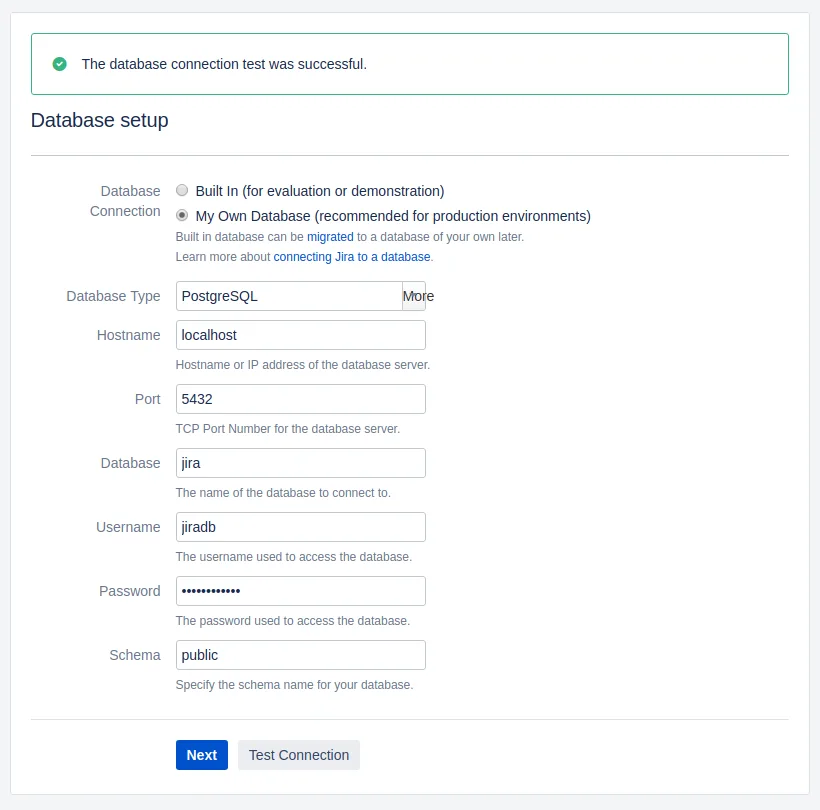
Installing Atlassian Jira Software onto an in-house or self-hosted server is as simple as following the Jira installation guide. The only thing missing is the setup of the database. Jira suggest that whilst other databases are available, MySQL, MSSQL etc. their preferred DB is postgresql. Primarily because it’s common in their user space and support environment, meaning that their support and documentation is likely to be more readily available for postgresql instances than other DB’s. Let’s follow the advice and install postgresql.
$ sudo apt-get install postgresqlAt the time of writing this installs postgresql version 9.6 on Debian Stretch. In order to create the environment that we can manage there are a couple of postgresql config changes that we make to ensure you can access the DB from another system - for managing with pgadmin 4. Enable access to postgresql from specific network/IP addresses by editing pg_hba.conf under /etc/postgresql/9.6/main.
$ sudo vi /etc/postgresql/9.6/main/pg_hba.confFind the line:
host all all 127.0.0.1/32 md5Add a line below to match your required IP addresses/subnets eg.
host all all 192.168.0.0/24 md5This allows any machine with a 192.168.0.X address to access the DB. Now we need to listen or bind to an IP address that is available on the network. By default postgresql only listens on 127.0.0.1 port 5432, meaning it will only accept connections to the local machine from the local machine.
$ sudo vi /etc/postgresql/9.6/main/postgressql.confFind the line beginning:
#listen_addresses = 'localhost'Add a new line below it:
listen_addresses = '*'Restart the postgresql service:
$ sudo systemctl restart postgresql.serviceDatabases and User
Create a database and a user for Jira/Confluence to use
$ sudo -u postgres createdb jira
$ sudo -u postgres createdb confluence
$ sudo -u postgres createuser jiradb
Set the users password and grant them access to the DB’s.
$ sudo -u postgres psql
psql (9.6.10)
Type "help" for help.

postgres=# alter user jiradb with encrypted password 'mysupersecretpassword';

postgres=# grant all privileges on database jira to jiradb;

postgres=# grant all privileges on database confluence to jiradb;
When you install Jira and confluence you can then use the database settings you’ve just created.
Database Type: PostgreSQL
Hostname:      localhost
Port:          5432
Database:      jira
Username:      jiradb
Password:      mysupersecretpassword
Schema:        public